
Welcome
Sign in to your account

Enter your email and we'll send a one-time code for instant access.
If you've ever wanted to design your own jewelry, a jewelry laser engraver can open up endless creative possibilities. This tool gives you the power to turn your ideas into reality, whether you’re making jewelry for yourself or creating personalized gifts. Let’s explore how a jewelry laser engraving machine can help bring your designs to life.

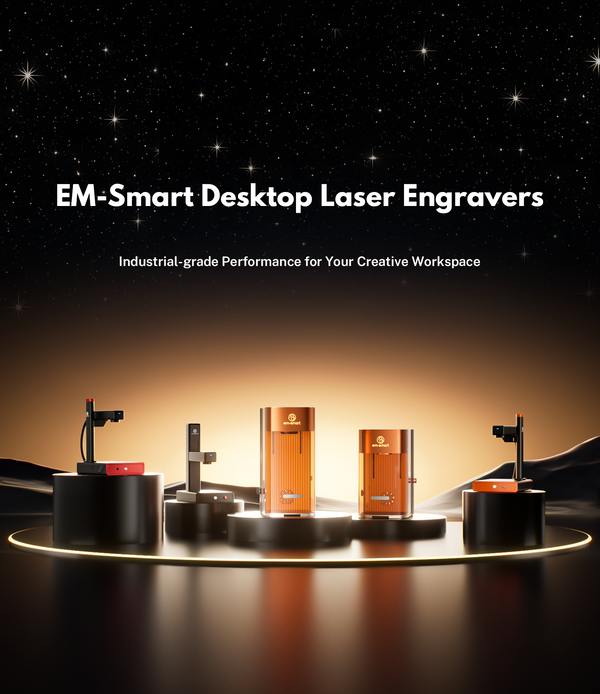
A laser engraver for jewelry works by focusing a laser beam onto the surface of the material. The laser heats up the material until it either melts or vaporizes, creating permanent designs with exceptional precision. For example, the EM-Smart Laser Engraver delivers repeat accuracy of ±0.002mm, ensuring that each engraving is perfectly aligned and detailed.
The laser engraver for jewelry uses different types of lasers, typically diode lasers or fiber lasers, depending on the material. Fiber lasers are known for their strength and precision, making them ideal for engraving metals like gold, silver, and stainless steel. Diode lasers, on the other hand, are excellent for engraving softer materials such as wood, acrylic, and plastics.
1. High Precision: A laser engraver for jewelry offers exceptional accuracy, allowing you to engrave intricate details and fine designs. With repeat accuracy as precise as ±0.002mm, it ensures sharp, clean lines without any imperfections, making it perfect for detailed work on jewelry.
2. High Speed: Laser engravers operate at impressive speeds, with some models reaching up to 10,000mm/s. This enables faster engraving, reducing the time required to complete projects while maintaining high-quality results. You can complete tasks that previously took minutes in just seconds, increasing overall efficiency.
3. Versatility Across Materials: Laser engravers can handle a variety of materials, from gold, silver to stainless steel, acrylic, and wood. This versatility makes them suitable for engraving different types of jewelry, whether it’s fine metal work or creative acrylic pieces.
4. Non-Contact Engraving: Unlike traditional engraving methods, a laser engraver for jewelry works without physical contact with the material. This minimizes the risk of damage, such as scratches or warping, and allows for precise engraving on delicate or small jewelry items.
5. Customizable Settings: A laser engraver offers adjustable settings for power, speed, and frequency, making it easy to tailor the engraving process to suit the material and design complexity. Whether you’re working on softer materials like acrylic or tougher metals like stainless steel, you can fine-tune the settings for optimal results.
6. Durability: Laser engraving creates deep, permanent markings that won’t fade over time. Whether you’re engraving a special message on a wedding ring or adding a design to a pendant, the engraved details are long-lasting and will retain their clarity even with daily wear.
7. Eco Friendly: Laser engraving produces minimal waste and avoids harmful chemicals, making it an eco-friendly alternative to traditional methods.
One of the most exciting creative features of a laser engraver for jewelry is photo engraving on necklaces. With laser photo engraving, you can take a cherished photo and turn it into a permanent design on a necklace. This process allows you to engrave images like portraits, landscapes, or special memories onto materials like metal or wood.
• Laser photo engraving on necklaces is perfect for personalized gifts, such as custom photo necklaces that capture unforgettable moments.
• It’s an ideal method for adding sentimental value to jewelry, like engraving a family portrait or a loved one’s photo onto a pendant necklace that can be cherished for years.
(Image From Etsy)
Laser engraved keychains are another popular item in custom jewelry and accessories. With a laser engraver for jewelry, you can create personalized keychains with logos, names, dates, or designs. These are great for gifts, souvenirs, or promotional products.
• The compact design of keychains allows you to experiment with a wide range of materials, including wood, acrylic, and metal.
• Laser engraved keychains can be made unique by incorporating photos, logos, or custom messages, making them perfect for personal use or as custom giveaways.
Let you unleash your creativity, giving you complete control over the design. With a laser engraver for jewelry, you can carve intricate patterns and custom shapes into wood, turning it into unique, personalized jewelry.
• Wooden laser cut earrings are known for their natural, organic look, making them perfect for creating eco-friendly, stylish accessories.
• You can experiment with various designs, from simple geometric shapes to detailed, artistic patterns, ensuring each pair is one-of-a-kind.
• This DIY method allows you to craft earrings that reflect your personal style and creativity, making them the perfect accessory or gift.
Ring engraving is another exciting way to use a laser engraver for jewelry. Whether it’s for wedding bands, engagement rings, or custom designs, a laser engraver offers the precision needed to engrave detailed patterns, messages, or symbols.
• Engraved rings can feature names, dates, special symbols, or even intricate designs that are deeply personal.
• Wedding ring engraving suggestions often include initials, wedding dates, or romantic phrases. Laser engraving allows you to add these designs in a way that’s both beautiful and durable.
Bracelet engraving is a perfect way to infuse personality and meaning into your jewelry pieces. With a laser engraver, you can transform a simple bracelet into a unique, sentimental treasure.
• From custom artwork to family initials, a laser engraver for jewelry offers endless opportunities to create one-of-a-kind pieces that hold personal significance and become cherished keepsakes.
• Laser engraving on bracelets ensures your design stays intact over time, even with daily wear, offering a durable and precise finish.
The first step is to ensure your jewelry and laser engraver are ready. Start by selecting the jewelry piece you want to engrave, whether it’s a pendant, bracelet, necklace, or ring. Secure the piece properly on the engraving bed, especially for smaller items like rings, where you may need to use a rotary attachment for stability and alignment. Make sure the laser engraver is properly set up, connected to your computer, and that LightBurn or another engraving software is downloaded and ready to use. Ensure the material is securely placed to guarantee a smooth engraving process.

Once your jewelry is ready, the next step is to prepare the design. For the best engraving results, it's recommended to use vector graphics (such as SVG or DXF formats) because they are scalable and ensure crisp, clean lines during engraving. Vector files allow the laser to follow precise paths without loss of quality, unlike raster images, which may result in blurry or uneven engravings. Keep your design simple, focusing on names, initials, dates, or symbols, and ensure the image is well-suited to the jewelry piece’s size.

Once your material is secured, use the electric lift feature on your engraver to adjust the material height and ensure the laser is perfectly aligned with the surface. The key indicator that the laser is properly focused is when the two red dots from the laser beam overlap perfectly. This ensures precision and sharp engravings. After focusing, double-check the material's alignment to ensure the engraving will be accurate and clean.

After focusing, adjust the engraving parameters in LightBurn based on the jewelry material you are using. Settings such as power, speed, and frequency will directly affect the engraving quality, especially on small jewelry pieces where fine details matter more. Since metal, acrylic, and wood respond differently to the laser, it’s best to use the recommended settings as a starting point and then fine-tune them if needed. For specific engraving references, you can check the parameter table below.
|
Material |
Laser Type |
Power (%) |
Speed (mm/s) |
Frequency (kHz) |
Interval (mm) |
|
Wood |
Diode |
20-60 |
200-2000 |
20-30 |
0.03-0.05 |
|
Acrylic |
Diode |
20 |
1500-2000 |
20-30 |
0.03-0.05 |
|
Aluminum |
Fiber |
80-100 |
1000-1500 |
20-40 |
0.02-0.05 |
|
Stainless Steel |
Fiber |
100 |
1000-2000 |
20-40 |
0.002 |
|
Copper |
Fiber |
20-60 |
1000-2000 |
20-40 |
0.02-0.05 |
Once the engraving parameters are set, refine your design in LightBurn by adjusting the size, position, and any necessary details like lines and colors. Click the "Preview" button to check how the laser will follow the design. Ensure everything aligns as expected, and make adjustments to the path order or settings if necessary before starting the engraving process.

Before starting on the final piece, always test the settings on a scrap piece of the same material. This ensures that the power, speed, and frequency are correct and that the engraving turns out as expected. Adjust the settings if necessary.
Once the test is successful, it's time to start engraving your jewelry. Monitor the process to ensure that everything is aligned and engraving smoothly. The laser will follow the design path you’ve set, creating the personalized engraving on your jewelry piece.

Once engraving is complete, clean the jewelry with a soft cloth to remove debris. Sand any rough edges or burn marks lightly. For metal pieces, use a polishing cloth to enhance the finish. Apply a protective coating if needed to preserve the engraving. Finally, inspect the piece for any imperfections before packaging or delivery.
A laser engraver unlocks endless possibilities for creating personalized jewelry. By choosing the right machine for your needs, you can easily craft custom pieces like photo-engraved necklaces or engraved rings. For those just starting out or working on smaller projects, the EM-Smart Basic model offers a great balance of quality and affordability. But for a top-tier solution, the EM-Smart Dual SE Laser Engraver offers exceptional precision, speed, and versatility, making it the ideal choice for all your jewelry engraving needs.
At EM-Smart, we specialize in providing high-quality laser machines for all your marking, engraving, and cutting needs. Whether you're looking for precision in small-scale projects or efficiency in large-volume production, our advanced machines are designed for versatility and top-notch performance. We are committed to helping you bring your creative and industrial projects to life with the best laser technology available!


