
Welcome
Sign in to your account


Enter your email and we'll send a one-time code for instant access.
Wood laser engraving is a rewarding and creative hobby that allows you to craft beautiful and functional wooden items. Whether you're a complete beginner or just getting started with laser engraving wood, there are many simple yet enjoyable woodworking projects you can tackle to improve your skills. In this article, we’ll introduce easy-made woodworking projects, with a focus on wood laser engraving, and provide guidance on how to get started using a dual-diode laser engraver for wood.
Wood, as a carving material, has a timeless charm. Its natural grain, texture, and warmth make it a favorite for a wide range of craft and home décor projects. While many people associate woodworking with traditional hand tools or larger machinery, recent technological advancements have introduced more accessible methods, such as laser engraving. Laser engraver machines, especially those with dual diode systems, have become a popular choice for beginners due to their precision and versatility.
However, not all laser engravers are suitable for wood laser engraving. Traditional fiber laser engravers, for example, are great for laser engraving on metals but tend to be less effective on wood. This is where EM-Smart Dual 2/ Dual SE come in, offering superior performance when working with various materials, including wood. These engravers provide higher precision and a broader range of materials to choose from, making them ideal for beginners.

Design a simple photo display rack that can showcase family pictures or artwork.
Engrave a personalized clock with family names or unique designs.
Engrave large wooden letters to spell family members' names, creating a wall decoration.

Create engraved shelf brackets to store books or display items, with personalized designs.
Make a hook rack with engraved patterns for hanging keys, hats, etc.
Engrave a simple wooden calendar with custom text or important dates.

Design a wooden rack with fabric bags for organizing small items.
Create engraved frames to display artwork or photographs with unique carvings.

Create a set of wooden photo frames to display in a wall arrangement with personalized engravings.
Add decorative engraved wooden trim to doors or windows for an artistic touch.
Engrave a simple wooden file organizer to keep your workspace tidy and organized.
Create a wooden stand for a stapler, with engraved decorative patterns.
Design and engrave a stand for notebooks, perfect for a desk.
Craft a wooden tray for storing stationery and organize your desk.
Engrave a decorative wooden backrest piece for office chairs.
Design a wooden phone stand that can also function as a wireless charging station.

Engrave decorative wooden trim for the edge of your desk for added visual appeal.
Create a small wooden nameplate with names or company logos to place on a desk.

Make engraved corner pieces for file folders to add a unique touch.
Design a combination of pen holder and business card holder with custom engravings.
Create an engraved wooden knife block to store kitchen knives safely.
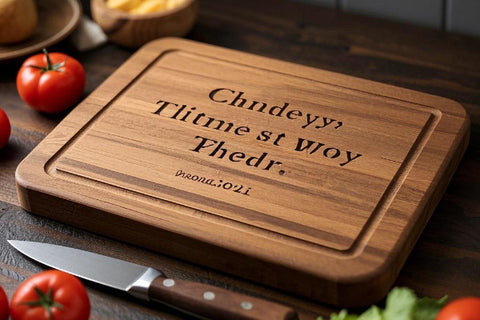
Craft engraved wooden placemats to enhance your dining table with personalized designs.
Design and engrave a tea set rack to store your tea collection with personalized elements.
Create engraved wooden napkin rings to add elegance to your table setting.
Design a wooden jar for sugar or other condiments, engraved with custom patterns or text.
Craft a wine rack with engraved decorations, ideal for displaying bottles.
Make a wooden mat to protect countertops when handling hot baking trays.

Design a wooden cake stand with engravings, ideal for birthday parties or special occasions.
Create a wooden holder for coffee cups, with personalized engravings.
Design and engrave a decorative wooden bowl for fruits or snacks.
Engrave a small, decorative wooden Christmas tree for the holiday season.

Create a personalized wooden gift box with engraved holiday greetings.
Design and engrave a countdown calendar to celebrate the New Year.
Craft an engraved wooden Easter bunny for festive decoration.

Make an engraved wooden heart ornament for a personalized Valentine's Day gift.
Design a wooden pumpkin lantern for Halloween celebrations.
Create a Thanksgiving-themed wooden tray for holiday gatherings.
Craft a wooden flower basket with personalized engraving for Mother's Day.
Design and engrave holiday gift tags with Christmas-themed patterns.
Create wooden greeting cards with engraved holiday messages for special occasions.

Craft an engraved wooden puzzle with animal shapes, great for kids.
Create a simple wooden toy train, engraved with fun patterns for children.
Design a set of engraved wooden blocks, perfect for imaginative play.

Craft a small wooden desk for children, personalized with their name or fun designs.
Create a traditional wooden rocking horse, engraved with playful details for kids.
Design a wooden toy car with interchangeable blocks, great for children to build and play with.
Craft engraved wooden alphabet or number cards, helping children learn letters and numbers.

Design wooden memory cards with images or letters, ideal for educational games.
Create a small wooden bookshelf for children, engraved with cute animal or character designs.
Craft a wooden easel for children to draw or paint on, with engraved fun patterns.
Create engraved wooden plant pots for indoor or outdoor plants.
Design and engrave a personalized sign for your garden entrance.

Craft a wooden box for storing gardening tools, engraved with custom designs.
Design a wooden lamp for outdoor use, engraved with unique patterns for a rustic look.
Build a wooden bench with engraved designs, perfect for gardens or patios.
Create a small wooden bird feeder to attract birds to your garden.

Design and engrave a wooden trellis or arbor for climbing plants.
Craft a set of wooden wind chimes with engraved patterns to enhance your garden’s atmosphere.
Make a multi-level wooden plant stand with engraved decorative elements.
Design a wooden fountain for your garden, engraving a personal touch for added charm.
Create personalized wooden coat hangers with engraved names or patterns.
Craft a wooden key box with engraved decorative elements for home use.

Design a wooden eyeglass holder with engraved patterns for a personalized touch.
Create a small, engraved wooden travel case to store personal items.
Design and engrave a stylish wooden passport holder for travelers.
Make a personalized wooden ashtray, engraved with unique designs for home use.
Craft a small wooden phone stand for easy viewing, engraved with fun designs.

Design and engrave a wooden utensil organizer for the kitchen.
Craft a small wooden coin purse, engraved with a name or special design.
Create a wooden case for phone, with engraved patterns or initials.

Engrave a wooden bookmark with a name, quote, or pattern.

Craft a small wooden pouch for holding pens and stationery.
Create fun, engraved desk figurines, such as animals or plants, to decorate your workspace.

Design a wooden protector for pen tips, engraved with simple patterns.
Craft a wooden dock for phones with engraved designs or initials.
Create a personalized wooden case for a lighter with custom engravings.
Design a wooden version of the classic Scrabble game with engraved letters.
Craft a small wooden bookshelf for holding small items, books, or trinkets.
Create a wooden desktop fan, with an engraved aesthetic for a rustic workspace.
Design a simple, engraved wooden stand for holding a mobile phone while watching videos.
If you're new to wood laser engraving, don't worry! With the right tools and a little practice, you can create personalized and beautiful items. Below, we'll guide you through the basic steps to complete a simple yet fast woodworking project using a dual-diode laser engraver.
The first step to begin your wood laser engraving project is to select a theme. The theme will determine your design and help you decide on the type of wood and engraving you'll need. There are a variety of themes you can choose from, depending on your interests and needs:
You can create custom items like nameplates, decorative signs, or other home accents.

Laser engraving is perfect for creating personalized earrings, necklaces, keychains, and other small accessories. The fine detail achievable with a EM-Smart Dual will give these items a professional quality.
Keychains, coasters, and small storage boxes are practical and easy to make, providing an excellent opportunity to practice engraving techniques. These can also be sold if you're interested in turning your hobby into a small business.

When choosing a theme, consider both your skill level and the complexity of the design. For beginners, it’s best to start with simple designs like text, logos, or geometric patterns.
Once you've selected your project theme, the next step is to gather your materials. For EM-Smart Dual 2/ Dual SE, it's important to choose the right type of wood. Here are some tips for selecting materials:
Popular woods for laser engraving include birch, maple, oak, and walnut. These types of wood have smooth surfaces and engrave well. You may also want to try plywood or MDF (Medium-Density Fiberboard) as more affordable options for practice.
The thickness of the wood will affect the depth of the engraving. For small items like keychains or jewelry, thin wood (around 1/8 inch) is usually sufficient. For larger projects like signs or decorative pieces, thicker wood (around 1/4 inch or more) may be needed.
Make sure the piece of wood fits within the engraving area of your laser engraver. Check the size specifications of your engraver to ensure your material is the correct size.
In addition to wood, you may want to prepare other decorative materials like watercolor paints, wood stains, or markers to enhance the design and add color to the engraved areas.
Once your materials are ready, the next step is to prepare the engraving file. This is where you’ll create the artwork or pattern that you want to engrave onto your wood.
You can create your design using software such as Adobe Illustrator, CorelDRAW, or Inkscape, or you can use pre-made templates. For beginners, EM-Smart offers shared files or templates that you can easily modify.
Ensure that the design file is compatible with your engraving software. Common formats include .SVG, .DXF, JPG and so on. If you’re using a template, make sure the file format is supported by your laser engraver’s software.
Pay attention to the details of your design. Fine lines, small text, and intricate patterns may need adjustments to ensure they can be engraved clearly. Adjusting the size, line thickness, and engraving depth may be necessary to achieve the desired effect.
Once the design is ready, import the file into your laser engraver’s control software(Jinchengzi/EZCAD/LightBurn). If you encounter any issues when importing the file, such as the software not recognizing it or the file not opening, don’t worry. This is typically caused by two reasons: either the file is corrupted, or you may not have selected the correct file. Check the file format and ensure it's the right one before proceeding.
With your file ready, it's time to set up the laser engraver. This step involves adjusting the settings on your EM-Smart Dual 2/Dual SE to ensure a smooth engraving process.
Make sure the laser is properly focused. The focus point is essential for achieving clean and precise engravings. Refer to the user manual of your engraver for instructions on how to focus the laser.
Set the correct power, speed, and frequency for the specific material you’re using. For wood, lower power and higher speed usually work best, but you may need to adjust these settings based on the type and thickness of the wood.
Before starting your final project, it’s a good idea to run a test engraving on a scrap piece of wood. This helps you adjust the settings and ensures that the design looks the way you want it to.
Once everything is set up, you can start the engraving process. Depending on the complexity of your design, engraving can take anywhere from a few minutes to an hour or more.
After engraving is complete, you can finish your project in several ways to enhance its appearance:
Lightly sand the edges of the wood to remove any burn marks or rough spots. Be careful not to sand the engraved areas, as this could damage the design.
You can apply wood stain or paint to bring out the natural grain of the wood or to add color to the engraved areas. You can use different techniques such as watercolor, acrylic paint, or markers to decorate the design.
Apply a wood finish or sealant to protect your project from moisture and wear. This will also give it a polished, professional look.
Wood laser engraving combined with your ideas is an excellent way for beginners to get started with crafting. With just a few simple steps, you can create personalized items such as home décor, jewelry, and practical accessories. By using a dual-diode laser engraver, you can achieve high-quality engravings on a variety of wood types, making your projects stand out. With practice and creativity, you’ll soon be able to tackle more complex designs and enjoy woodworking as a rewarding hobby.


