Welcome
Sign in to your account

Enter your email and we'll send a one-time code for instant access.
A portable laser engraver is a smart pick if you sell personalized metal gifts, run a small engraving business, do on-site events, or simply want a compact workshop setup. From jewelry names and pet tags to tool marking and small metal parts, the right machine saves time, travels easily, and delivers clean, permanent marks. In this guide, you’ll learn what really matters for metal engraving—laser type, wattage, galvo speed, lens quality, safety, and software—so you can confidently choose a mini laser engraving machine for metal that fits your budget and workflow.

A portable laser engraver is a compact engraving machine you can move, set up fast, and use to create clean, permanent marks without being tied to one shop. In the U.S., it’s popular with people who need flexibility and quick turnaround.
It’s a strong fit for small sellers and makers customizing jewelry and pet tags, local retail businesses handling walk-in personalization, event vendors offering on-the-spot gifts at fairs and pop-ups, and field teams marking tools, panels, and parts with serial numbers or QR codes. If metal is your focus, look for a portable setup that’s truly built for metal marking—many buyers specifically want a mini laser engraving machine for metal that still delivers sharp text and consistent results.
Laser engraving on metal uses a focused laser beam to vaporize a small amount of material, creating permanent marks on the surface. This process is non-contact, meaning there is no physical force involved, which helps preserve the integrity of the metal.
When engraving metal, the common goals are metal marking, deep engraving, and oxidation marking. Metal marking is the most common, where the laser creates high-contrast marks such as text, logos, and barcodes on the surface. Deep engraving removes material to create a tactile mark, but requires more power and slower speeds, especially on harder metals. Annealing or oxidation marking, often used on stainless steel, creates dark, durable marks by heating the surface layer without cutting into the material.
While portable laser engravers can work on some metals, they often struggle with reflective materials like stainless steel and brass. These metals conduct heat quickly and reflect the laser, making them harder to engrave.
This challenge is one reason why many people hesitate when selecting a portable laser engraver for metal. It's essential to understand these limitations and choose a machine that suits your specific engraving needs.
This section is your shortcut. If you check these points, you can avoid most buying regrets.
1. Laser type that matches metal jobs
If your main materials are stainless steel, aluminum, brass, copper, or titanium, prioritize systems designed for metal marking. Fiber-based systems are commonly chosen because they deliver stable marks and fine detail on bare metals. If you mainly engrave coated items (painted metal, anodized aluminum, plated tags), your acceptable options widen, but you still want a machine with good spot quality and repeatability.

2. Power and Throughput
The power of your laser engraver directly impacts both engraving speed and the depth of the marks.
• For small text and light marking, moderate power (e.g., 20W) is usually sufficient.
• For batch engraving, larger designs, and faster cycle times, higher power helps you finish jobs more quickly and with fewer passes.
• For deeper engraving, power is important but not the only factor. You also need to consider the right combination of settings and lens quality to ensure precise, deep marks without compromising the material.
When choosing based on power, consider your workload. If you need to engrave large quantities—such as 50 tags per hour or hundreds of serial numbers per day—opt for a machine that offers a higher power to improve throughput, not just portability.

3. Speed and Stability
For a portable laser engraver, speed and stability are critical if you want consistent metal engraving results. A capable machine should be able to reach around 10,000 mm/s scanning speed, which helps you finish filled logos, serial numbers, and batch jobs quickly while keeping edges clean. Stability at that speed matters just as much, because it directly affects the quality of metal engraving—sharp micro text, reliable QR code readability, even fill density, and repeatable placement from piece to piece. If you’re engraving for business customers, scannable codes and crisp small lettering will matter far more than flashy numbers that don’t translate into real-world results.

4. Working Area Size
For metal engraving, working area size should match what you actually engrave, not what looks biggest on a spec sheet. A larger field can be convenient when you want to place multiple tags or parts in one run, but it can also make it harder to maintain the same level of fine detail across the whole area if you’re pushing tiny text or dense fills. The safest approach is to choose a field size based on your product mix—jewelry, pet tags, nameplates, or small metal parts—so your portable laser engraver stays efficient without sacrificing clarity. A quick test for any mini laser engraving machine for metal is whether small text still looks crisp near the edges of the work area, not only in the center.
5. Portability details that affect real use
“Portable” is not only weight. The most practical portability features include:
• Fast setup and stable base
• Simple height adjustment and focusing workflow
• Cable management for quick pack-and-go
• A design that protects optics during transport
If you do on-site engraving, reducing setup steps reduces mistakes and increases profit per event.
6. Attachment Support and Expandability
When you’re choosing a portable laser engraver for metal engraving, expandability can matter as much as the machine itself. The right attachment ecosystem lets you take on more jobs without replacing your setup. A key example is rotary support, which is essential if you plan to engrave curved or cylindrical items like rings, bracelets, and other rounded parts. Beyond rotary tools, practical add-ons like a protective enclosure and a fume extractor or dust collection system can make metal engraving cleaner, safer, and more consistent—especially if you work in small indoor spaces or do on-site personalization where setup needs to be quick and professional.

7. Software support
Ensuring the software is compatible with your computer's operating system is crucial to avoid installation and operation issues. Here are some popular software options:
• LightBurn: widely praised for its powerful features and user-friendly interface. It supports a wide range of laser engravers and offers advanced design and editing tools, making it a favorite among professionals and hobbyists alike.
• EZCAD: commonly used with fiber lasers, offering robust features for detailed metal engraving. It provides precise control over laser parameters, making it ideal for intricate designs and industrial applications.
Most popular laser engraving software supports both Windows and macOS. However, some programs might be optimized for one system over the other, so checking compatibility before purchasing or installing is essential. For example, LightBurn offer versions for both Windows and macOS, while EZCAD supports Windows. You will need to download Parallels to run EZCAD on your Mac.

Struggle with “how do I make my metal laser engravings better” issue? Need a metal materials settings guide?
A common tip is to start with the manufacturer’s recommended power, speed, and frequency settings for various metals. These settings are typically optimized for the laser engraver and provide a good starting point. Adjustments might still be necessary based on the specific characteristics of the metal you are working with.
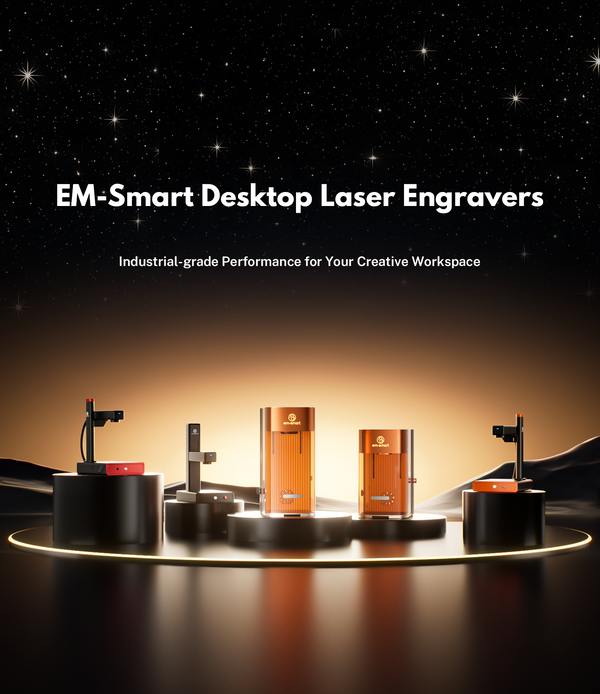
As an example, here are the recommended settings for the EM-Smart fiber laser engravers for various metals:
|
Metal |
Product identification without depth |
40% |
1000 |
20 |
Line distance 0.05mm |
1 |
Focus |
|
Metal |
Engraving with depth |
70% |
800 |
20 |
Line distance 0.05mm |
Repeatable |
Focus |
|
Brass |
Product identification without depth |
40% |
1000 |
20 |
Line distance 0.05mm |
1 |
Focus |
|
Brass Watch |
White marking |
60% |
1500 |
50 |
Line distance 0.05mm |
3 |
Focus |
|
Stainless steel with mirror surface |
Black marking |
60% |
200 |
40 |
Line distance 0.05mm |
2 |
Retrofocus |
|
Stainless steel |
Black marking |
80% |
400 |
40 |
Line distance 0.05mm |
2 |
Retrofocus |
|
Stainless steel |
White marking |
50% |
2000 |
60 |
Line distance 0.05mm |
1 |
Retrofocus |
|
Electroplated metal |
Product identification without depth |
30% |
1200 |
40 |
Line distance 0.05mm |
1 |
Focus |
|
Anodized aluminum |
Text, white |
40% |
1200 |
40 |
Line distance 0.05mm |
2 |
Focus |
|
Anodized aluminum |
Vector, Black |
80% |
100 |
20 |
Line distance 0.05mm |
1 |
Focus |
Whether you're a beginner or an experienced professional, mastering the art of laser engraving on metal opens up endless possibilities for creativity and innovation.
For those ready to take the plunge, machines like the EM-Smart Nova offer an excellent starting point, combining affordability, precision, and speed. With the right tools and knowledge, you can elevate your metal engraving projects to new heights.

World's first foldable and portable fiber laser engraver for laser engraving on metals and non-metals with 8K precision.
Learn More >1. Can a portable laser engraver cut metal, and how thick?
A portable laser engraver is mainly designed for metal engraving and metal marking, not high-speed production cutting. That said, some portable 20W+ setups can cut very thin metal in the right conditions, with an upper limit around 0.5 mm depending on the metal type and your setup. The trade-off is time—cutting metal at this thickness typically requires multiple passes and can be significantly slower than engraving. If cutting is your primary use case (especially thicker sheet metal or higher volume), a dedicated metal cutting system with higher power and proper assist gas is usually the better fit.
2. Can a portable laser engraver fit in a backpack?
For most 20W+ portable laser engraver models, fitting into a standard backpack is difficult. The machine body, protective structure, and the working area size (field size) usually make it too bulky. A more realistic option is a portable hard carrying case or small rolling case, which protects the optics and makes transport safer for on-site metal engraving.
3. How do I maintain a portable laser engraver for reliable metal engraving?
Keep the machine clean and stable. Wipe down surfaces after use, keep vents clear, and protect the lens area from dust and metal particles. Use a protective cover or case during transport, avoid shock or vibration, and periodically check focus and alignment for consistent marking. If you engrave coated metals, manage fumes and residue carefully to prevent buildup that can affect results over time.
4. Can I do color marking on metal?
Some systems can produce color effects on stainless steel by controlling pulse behavior and heat interaction, but results depend heavily on the laser’s pulse control capability and the exact material finish. For consistent color results, you typically need a laser setup designed for precise pulse control, and you’ll still need testing because different stainless steel finishes respond differently.


