Welcome
Sign in to your account

Enter your email and we'll send a one-time code for instant access.
In the world of modern personalized gifts, a Bible engraved with a name, initials, or a special symbol is more than just a religious item—it’s a unique keepsake. It can represent your personal faith or serve as a heartfelt gift for loved ones, making every page-turn a small ceremony. Laser engraving provides the perfect way to create this level of personalization: precise, elegant, and lasting, allowing each Bible to showcase its own distinct style and meaning.
Choosing the right material directly affects the engraving results. Leather—whether genuine or PU—is perfect for laser engraving, delivering natural deep tones. Just be careful not to overdo the power, or the edges may scorch or melt.

Wood covers, especially light-colored wood, create sharp and natural engravings, but pay attention to the wood grain. The pattern can affect how clean your design appears.
Acrylic or PVC covers fit modern styles and can feature black or transparent engravings. Power must be carefully controlled to avoid melting edges or irregular lines.
Different materials also determine the level of detail your engraving can achieve: leather works well for soft gradient shading, wood suits larger designs that incorporate natural textures, and acrylic is ideal for fine lines and minimalist modern designs.
CO2 and diode lasers are generally the top picks, though UV lasers have recently gained popularity. Fiber lasers can engrave leather, but their high heat often leaves scorched edges and black residue. If you go the fiber laser route, low-power, high-speed engraving is recommended. In most cases, CO2 or diode lasers are your safest bet for clean, professional results.
The charm of laser engraving lies in its precision and control, but how you operate the machine is just as important—it’s the heart of the personalization experience. Start by designing your pattern and text to fit your Bible cover, keeping things simple and readable. Fonts should be legible; overly intricate styles blur easily at smaller scales.
Placement matters too: top, center, or lower-right corner—all work, just ensure visual balance. For example, if you’re working on a leather Bible, here’s how the full engraving process might look:
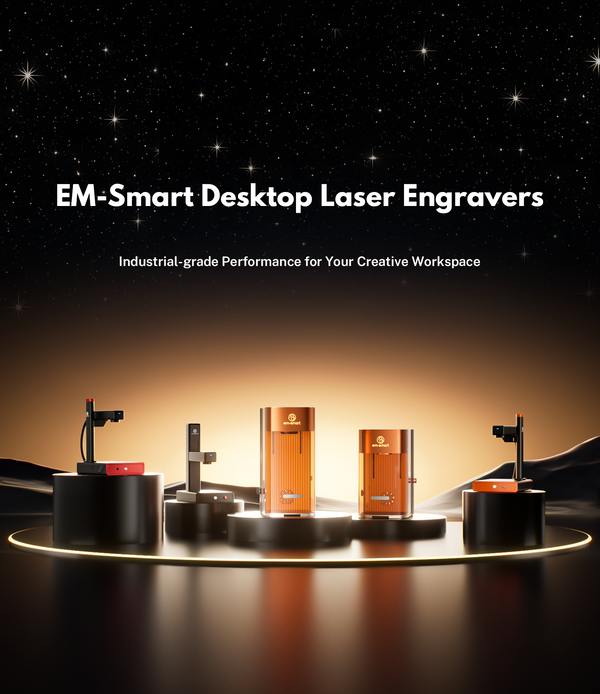
You’ll need the Bible, gold powder (optional), a cloth, and our EM-Smart Dual SE laser engraver. Two leather options are common: suede and coated leather. Suede is more likely to create slight residue, but it results in a naturally matte, deep-toned finish with slightly softened edges and that soft, plush feel—perfect for a vintage or handcrafted vibe. The trade-off? Fine details are limited, and coloring afterward is tricky. Coated leather, on the other hand, produces sharp, high-contrast engravings suitable for adding gold powder or other finishes, giving a bright, custom look, though it doesn’t feel as soft as suede. Gold powder is optional—if you prefer the raw laser effect, you can skip it entirely.

Import your design into LightBurn and set the engraving position and fill patterns. Hit the frame button to see a red-light mockup on your cover. If your design has a single layer, you only need to adjust one set of parameters. For multi-layer designs, assign engraving parameters to each layer individually. Close the layers you’re not working on to focus on one at a time—this keeps your workflow clean and manageable.
Leather requires low-power, high-speed marking. Wood needs medium power with slower speeds, while acrylic works well at low power and high speed. Small details demand precise focus; otherwise, you risk blurring or losing fine elements. The smaller the design, the higher the chance of scorched edges. Once your pattern, position, and settings are confirmed, lower the protective cover, press “Start,” and in 1–2 minutes, your engraving is complete.

To make a Bible cover more personalized, here are five creative suggestions that are both practical and beautiful:
Engrave the owner’s name or initials. Keep it simple yet personalized. Adding a fine border or small decorative patterns can make the cover more delicate while emphasizing exclusivity.

Examples include “Faith, Hope, Love” or “Be strong and courageous”. These are meaningful without taking up too much space. Place them at the top or bottom of the cover. It’s also recommended to include the verse reference in the bottom right corner, e.g., “Be still and know…” – Psalm 46:10.

Simple crosses, doves, olive branches, or similar symbols paired with small decorative patterns add classic layers to the design, enhancing the spiritual atmosphere.
Important dates such as baptism, birthdays, or wedding days can be combined with names or short phrases to add unique commemorative value, turning the Bible into a lasting keepsake.
Small floral motifs, geometric lines, vines, or tiny icons can be used to accentuate the corners of the cover or surround the name/symbol. These details add elegance without overwhelming the main design.

These ideas can be used individually or combined to create a unique style. Engraving is not just a technical operation—it is a form of creative expression, making every Bible cover a personal work of art.
Through careful material selection, design layout, laser parameter control, and post-processing, every personalized Bible cover can achieve a balance of beauty, durability, and creativity. Laser engraving not only makes the Bible more unique but also adds commemorative value to the gift, turning every page-turning moment into a special experience. Whether for yourself or a loved one, a personalized Bible cover becomes a precious and meaningful piece, carrying faith, memories, and heartfelt intentions.


